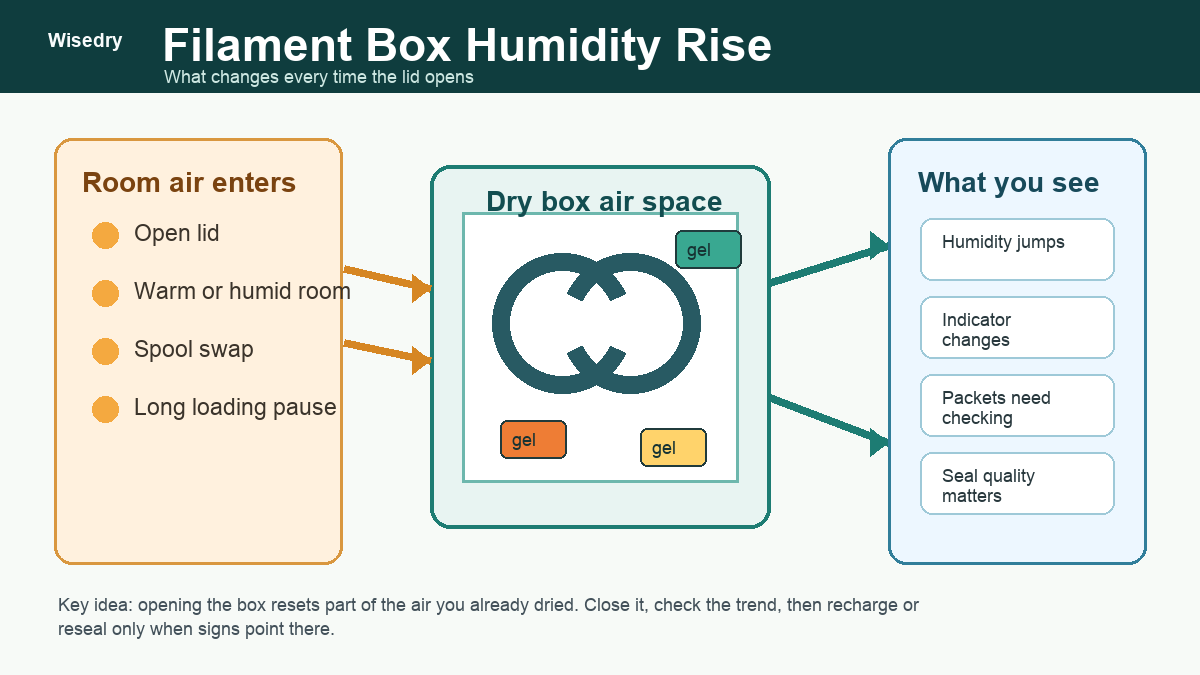
Opening a filament dry box changes the air inside the box. Even if the box was stable before, lifting the lid lets room air, handling moisture, and a little heat exchange into the same space as the spools and silica gel. A quick humidity jump after opening is normal. The useful question is whether the box settles back down after it is closed.
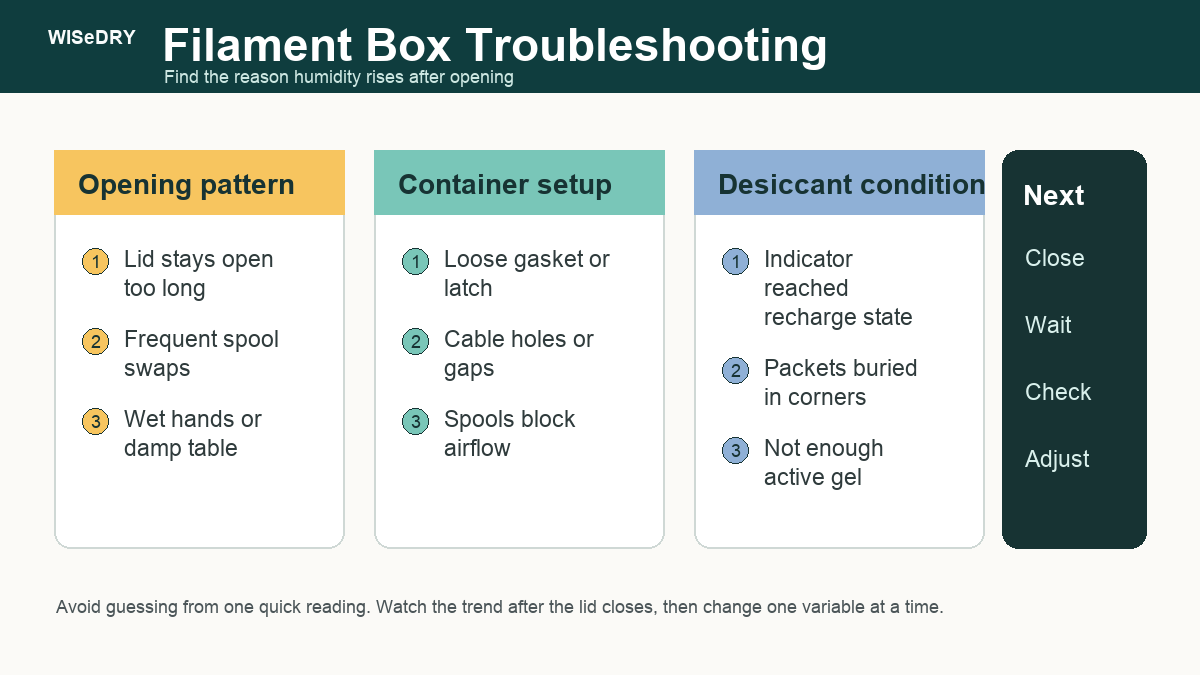
If the reading keeps climbing, settles too slowly, or reaches the same high level again soon after every spool change, the problem is usually one of four things: the box stayed open too long, the container seal is weak, the desiccant is saturated, or the packets are placed where air cannot reach them.
Quick Answer
A filament box gains humidity after opening because the dry air inside is partly replaced by room air. Close the lid promptly, give the reading time to settle, and watch the trend instead of reacting to one instant number. If the humidity stays high, check whether the desiccant indicator has reached its recharge condition, whether packets are buried or blocked, and whether the lid, gasket, cable ports, or latch are leaking.
Silica gel helps maintain dry storage air after filament is already dry. It should not be treated as a fast fix for a spool that is already wet. For setup sizing, start with the Wisedry filament dry box silica gel guide. If you need reusable packets for a sealed spool box, shop Wisedry rechargeable desiccants.
Why Humidity Jumps When The Lid Opens
A closed filament box is a small air system. The air inside the container has been sitting with the spools, the desiccant, the plastic walls, and any humidity meter. When the box opens, that balance changes.
Common causes of a short humidity jump include:
- Room air entering the box.
- A spool swap that keeps the lid open for longer than expected.
- Hands, tools, or a work surface carrying a little moisture.
- A warm room and a cooler box, or the reverse.
- Damp cardboard spool edges or packaging.
- Air movement from a fan, window, printer enclosure, or HVAC vent.
This does not automatically mean the dry box failed. A short jump is expected. The more important signal is what happens after the lid closes.
Watch The Trend, Not One Reading
Small humidity meters can lag, drift, or react differently depending on where they sit in the box. The number immediately after opening may look dramatic because the sensor is seeing fresh room air before the desiccant has had time to work.
After closing the box, use a simple trend check:
- If the reading rises quickly and then slowly falls, the box may be behaving normally.
- If the reading rises and stays high, check the desiccant and seal.
- If the reading falls only when you add more packets, the original amount or placement may be too weak for the box.
- If the reading never stays stable, the container may be leaking or opened too often for the current setup.
Do not chase every one-point change. Look for a repeated pattern after normal use.
Check How Long The Box Stays Open
The easiest fix is often behavioral. A dry box loses its advantage when the lid is open while you search for tools, untangle filament, wipe the spool, or decide what to print.
Before blaming the desiccant, tighten the opening routine:
- Choose the spool before opening the box.
- Keep clips, labels, and tools beside the box.
- Open the lid only as long as needed.
- Close the lid while you prepare the printer.
- Avoid leaving the box open during long loading or unloading pauses.
For multi-spool storage, repeated short openings can add up. If several people use the same box, add a simple label on the lid: close after every spool change.
Check Whether The Desiccant Is Still Active
If the box used to settle quickly but now stays high, the silica gel may have reached its recharge condition. This is especially likely after humid weather, frequent spool changes, or a long period with the lid not fully sealed.
For Wisedry products, follow the product-specific recharge instructions on the Wisedry recharge hub. Use the product indicator and instructions rather than a fixed calendar rule. Let packets cool as directed before returning them to a closed box.
Also inspect the packets:
- Do not keep using a packet that is torn, contaminated, leaking beads, or behaving abnormally after proper recharge.
- Do not place loose beads where they can fall into feed paths, printer mechanisms, AMS-style parts, fans, bearings, or electronics.
- Do not heat, microwave, or modify a packet unless that exact product’s instructions say to do so.
If you are unsure whether a packet is saturated, compare the behavior with the Wisedry saturation checklist.
Check Packet Placement And Airflow
Silica gel works through contact with the air around it. If every packet is buried under spools, pressed against a wall, trapped under cardboard, or stacked in one corner, the box may respond slowly after opening.
Better placement usually means:
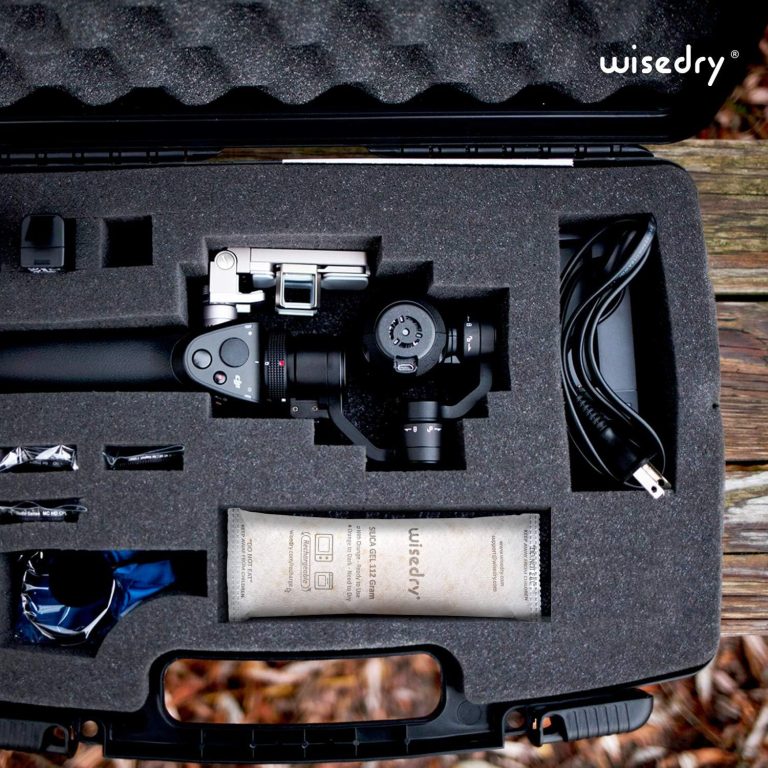
- Put packets in the same air space as the spools.
- Spread packets across large or divided boxes.
- Keep packets away from moving filament paths.
- Avoid crushing packets under heavy spools.
- Keep at least one packet where the indicator can be checked without digging through the box.
If the container has compartments, several smaller packets can be easier to distribute than one large pouch. The one large vs several small desiccant packs guide explains that choice in more detail.
Check The Seal Before Adding More Packets
Adding more desiccant can help when the box is large, opened often, or storing multiple spools. But if the seal leaks, more packets may only saturate faster.
Inspect the main leak points:
- Lid gasket or foam seal.
- Warped plastic lid.
- Weak latch or loose hinge.
- Cable pass-throughs.
- Holes drilled for tube fittings, sensors, or spool feed paths.
- Dust, filament scraps, or tape residue on the sealing surface.
Clean the rim, close the box evenly, and press around the lid. If one side feels loose, fix that first. For a deeper setup check, use the container seal quality guide.
When More Silica Gel Helps
More active silica gel can help when the box is otherwise sound but the storage demand is higher than the current setup.
Consider increasing the active amount when:
- The box stores several spools.
- The room is humid.
- The box opens many times per week.
- The lid seal is acceptable but not perfect.
- You store moisture-sensitive filament and want a more conservative buffer.
- The indicator changes faster than expected even after proper recharge.
Use the Wisedry Amount Guide and the filament dry box guide as starting points. Treat all amounts as practical starting points, not guaranteed humidity outcomes.
A Simple Reset Routine After Every Opening
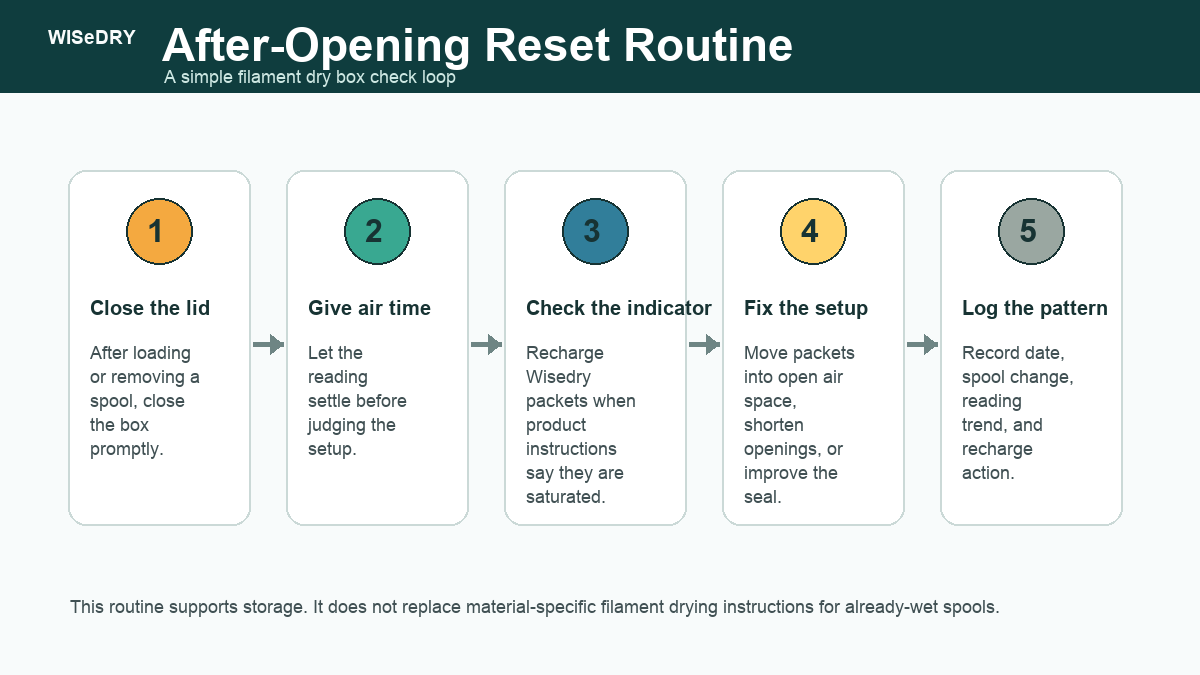
Use this routine after a spool swap or long opening:
- Close the lid promptly.
- Make sure the latch is fully seated.
- Wait for the humidity reading to settle instead of reacting immediately.
- Check whether the indicator has reached its recharge condition.
- If the reading stays high, move packets into open air space and inspect the seal.
- Record the date, spool change, room condition, indicator status, and any recharge action.
This small log helps separate a normal opening spike from a real setup problem. It also prevents unnecessary recharging when the box only needed time to settle.
Common Mistakes
Treating one spike as failure
An opened box is no longer the same dry air system it was five minutes earlier. Look for the trend after closing.
Leaving the lid open during printer setup
Every extra minute lets more room air enter. Prepare tools first, then open the box.
Burying packets under spools
Packets need airflow. A hidden packet may still absorb moisture, but it may respond slowly and be harder to inspect.
Ignoring the seal
A weak gasket, warped lid, or cable hole can make the box behave as if it is being reopened all day.
Expecting silica gel to dry wet filament quickly
Silica gel is best for storage maintenance in a sealed space. If filament is already wet, follow material and manufacturer guidance for drying before storage.
FAQ
Is it normal for a filament dry box humidity meter to rise after opening?
Yes. Opening the box lets room air enter. The key test is whether the reading settles after the lid closes and the desiccant has time to work.
How long should I wait before deciding something is wrong?
There is no universal time because box size, sensor location, room humidity, desiccant amount, and seal quality all matter. Watch the trend. If the reading repeatedly stays high after normal openings, inspect the desiccant, placement, and seal.
Should I add more silica gel every time humidity rises?
No. First check whether the rise is only a normal opening spike. Then check whether the current packets are saturated or poorly placed. Add more only when the box size, opening routine, or storage load justifies it.
Can silica gel dry a wet spool inside the box?
Silica gel can help maintain dry air in a sealed box, but it is not the fastest or most reliable way to dry an already-wet spool. Use the drying method appropriate for the filament material, then store the dry spool with active desiccant.
Where should I put desiccant in a filament box?
Put packets where air can reach them, where they will not interfere with filament movement, and where at least one indicator can be checked. In a large or divided box, distribute several packets instead of hiding one packet under all the spools.
Why does the humidity rise again soon after I recharge packets?
Check whether the packets cooled properly, whether the recharge followed the product instructions, whether the box seal leaks, and whether damp packaging or frequent openings are adding moisture faster than the setup can handle.
Related Wisedry Resources
- Best desiccant for filament storage: silica gel guide
- 3D printer filament dry box silica gel guide
- How much silica gel desiccant do you need?
- How to recharge Wisedry desiccants
- Shop Wisedry rechargeable desiccants
- Contact Wisedry Support
Closing
A humidity rise after opening a filament box is usually a setup signal, not a reason to panic. Close the lid, let the reading settle, then check the pattern. If the box keeps gaining humidity, work through the simple order: opening time, desiccant condition, packet placement, seal quality, then amount.
That order prevents unnecessary recharging and helps the dry box do its real job: keeping already-dry filament in a better storage environment between prints.